
Install a Marketplace application
How to install an application
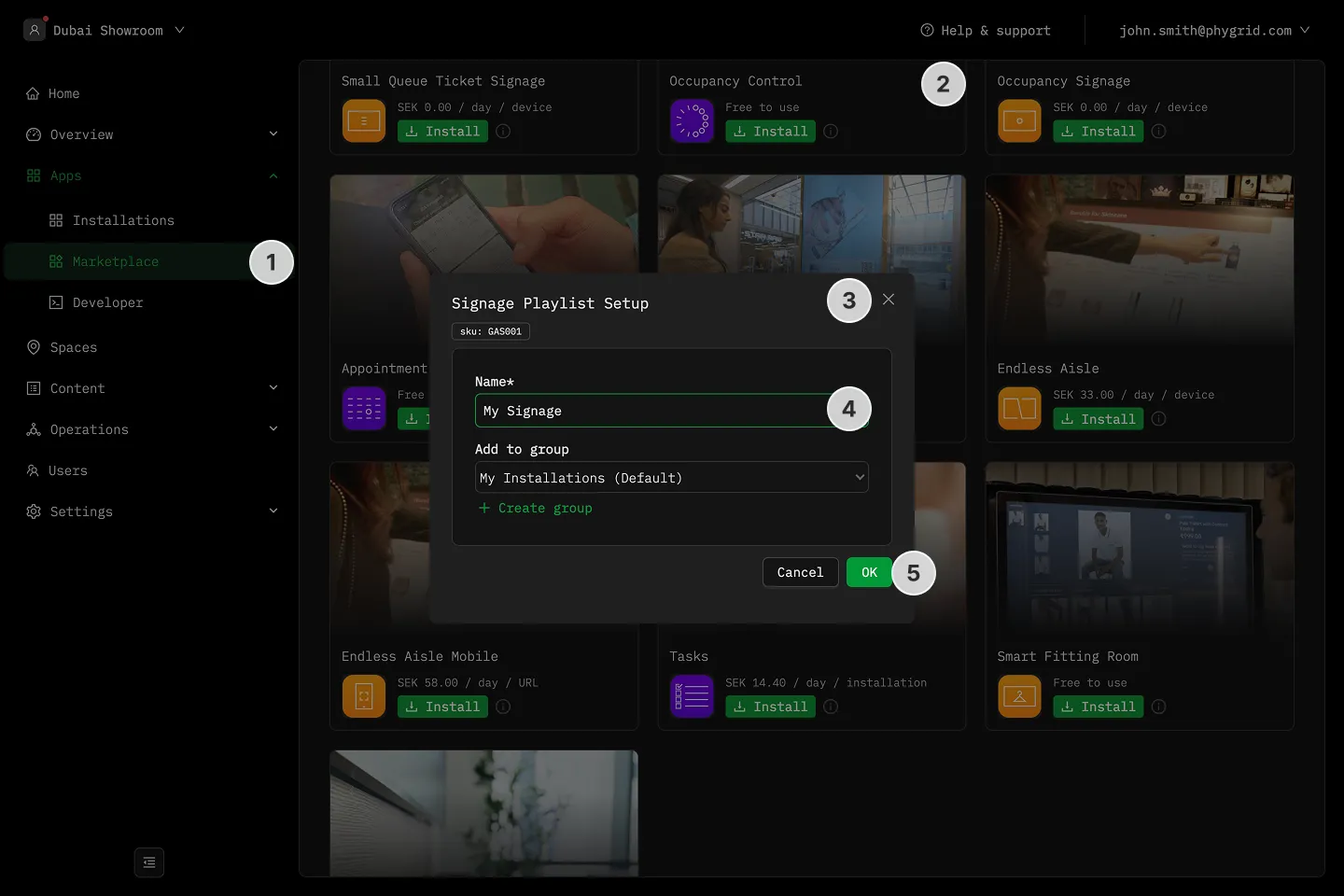
Section titled “How to install an application”- In the sidebar, navigate to Apps → Marketplace
- Browse for the application you want to install
- Click on the Install button to open the installation dialog
- In the installation form:
- Enter a Name for this installation (this will help you identify it later)
- Optionally, select a Group to organize your installations
- Click OK to create the installation
Verifying the installation
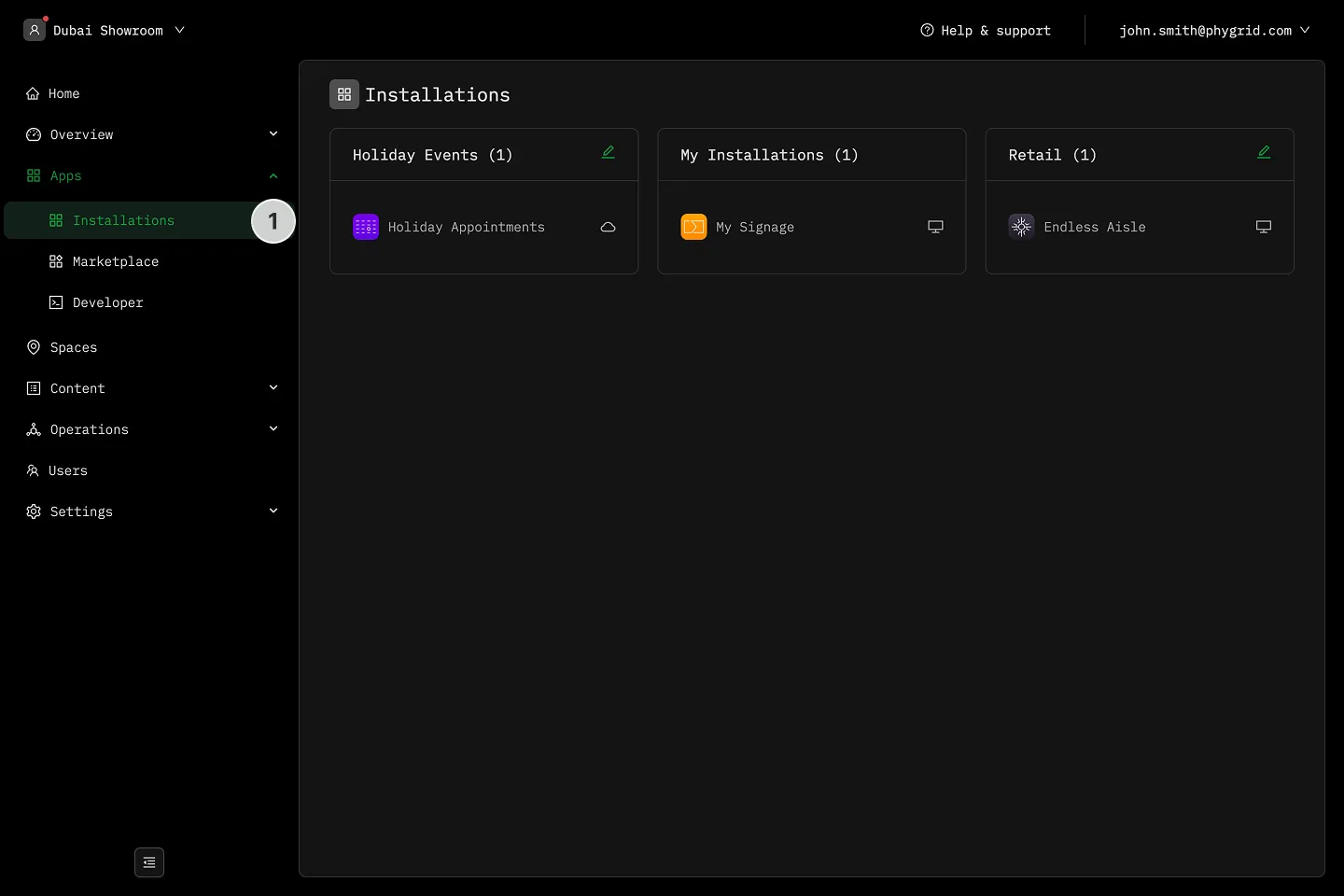
Section titled “Verifying the installation”- Your new installation will be available in the sidebar under Apps → Installations. You can now deploy this installation to devices or configure it further as needed.
Explanations
Section titled “Explanations”- What is the PhyStack Marketplace?
- What is the difference between an application and an installation?
- What is an installation group?