Delete a device
How to delete a device
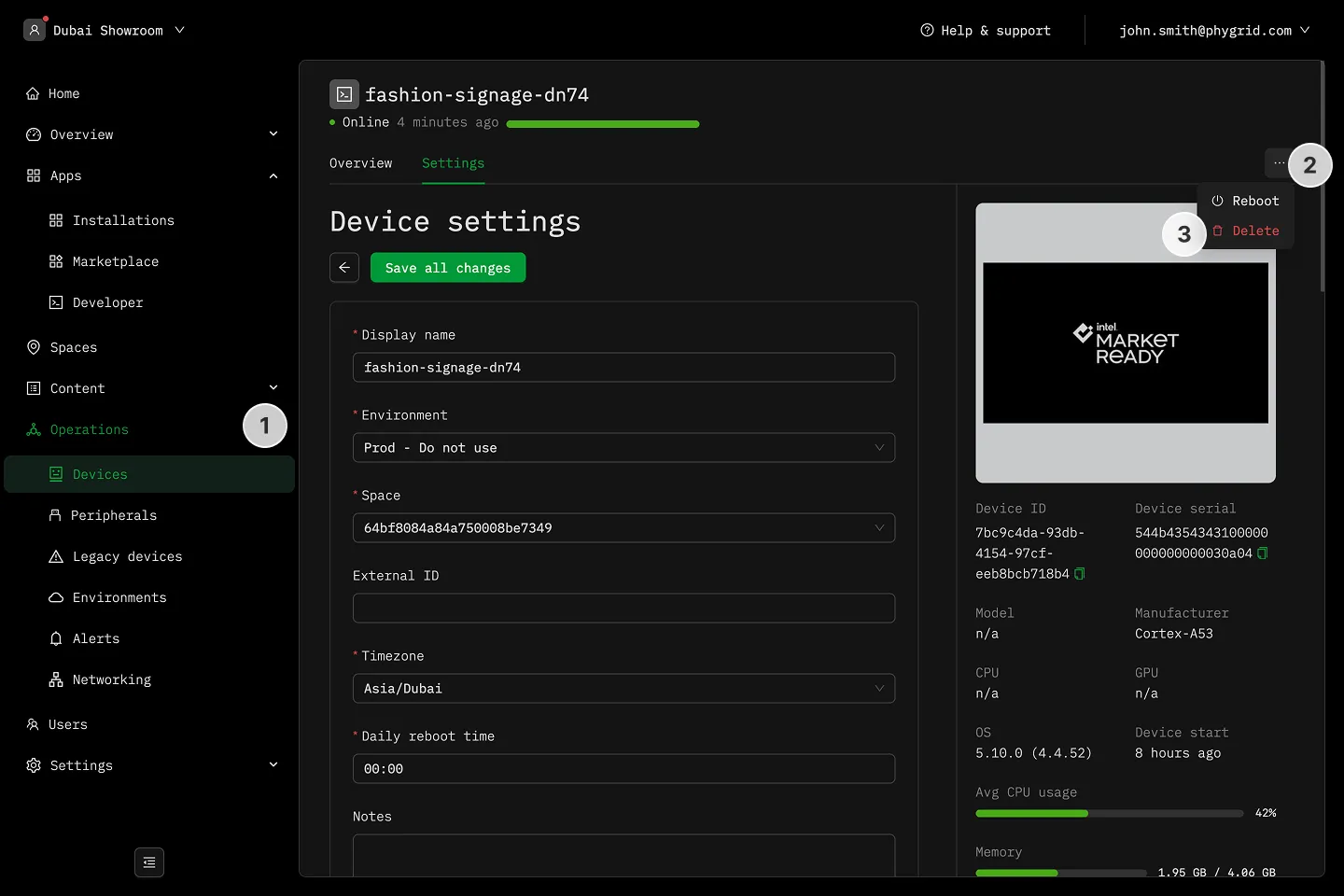
Section titled “How to delete a device”- In the sidebar, navigate to Operations → Devices and select your device
- Click on the More (···) button in the header
- Click Delete to remove the device
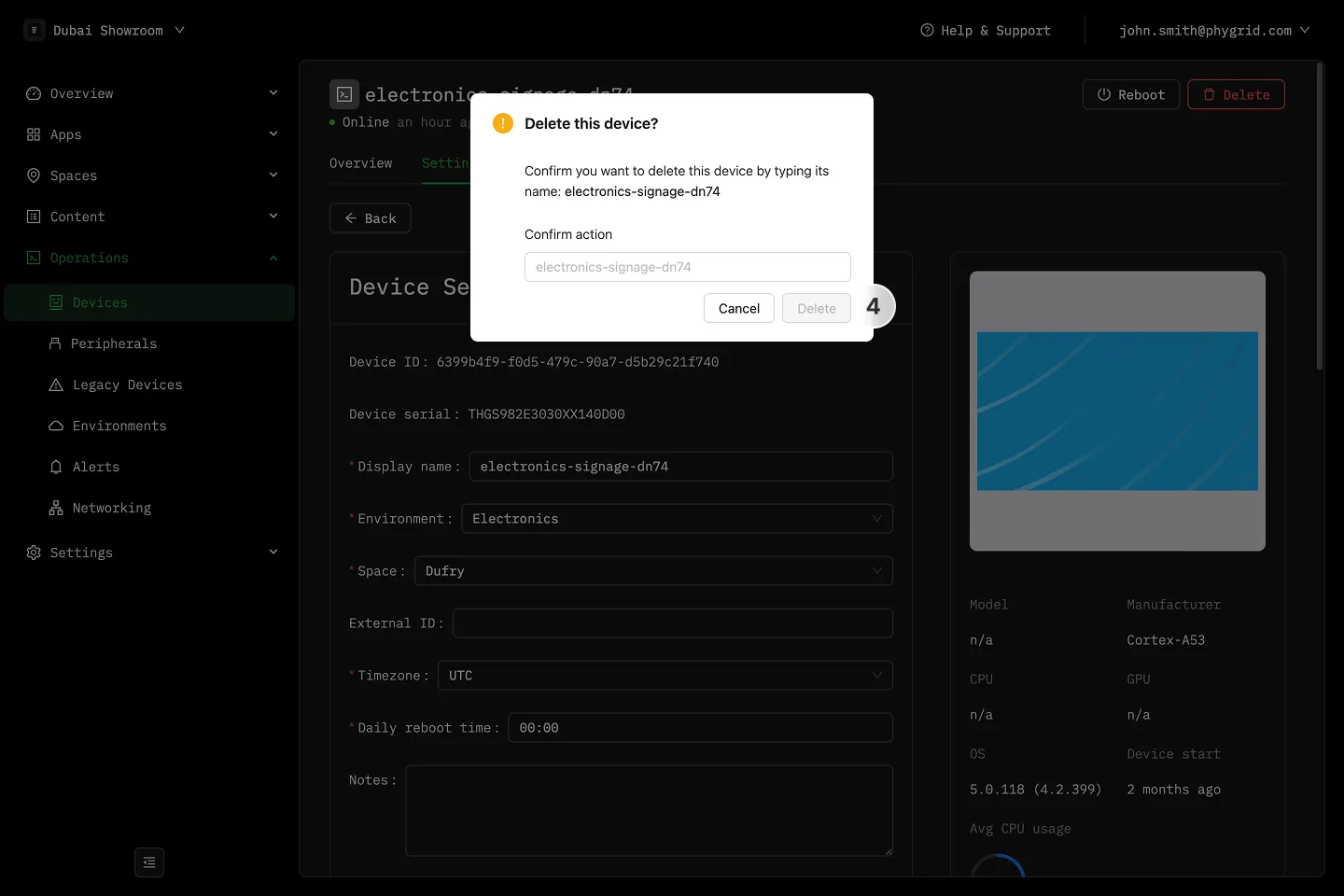
- Confirm by entering the device name